Friday, 13 March 2015

Final products.

These aren't the definite finished products, as I am currently in the process of changing some parts of the digipak. For example, I am re-doing the discs for the album as I have a much better idea for them, but am still going to post what I have right now so that I can show how far I am into creating the product.

Front cover:


Back cover:


Inside images:


Images behind the discs:


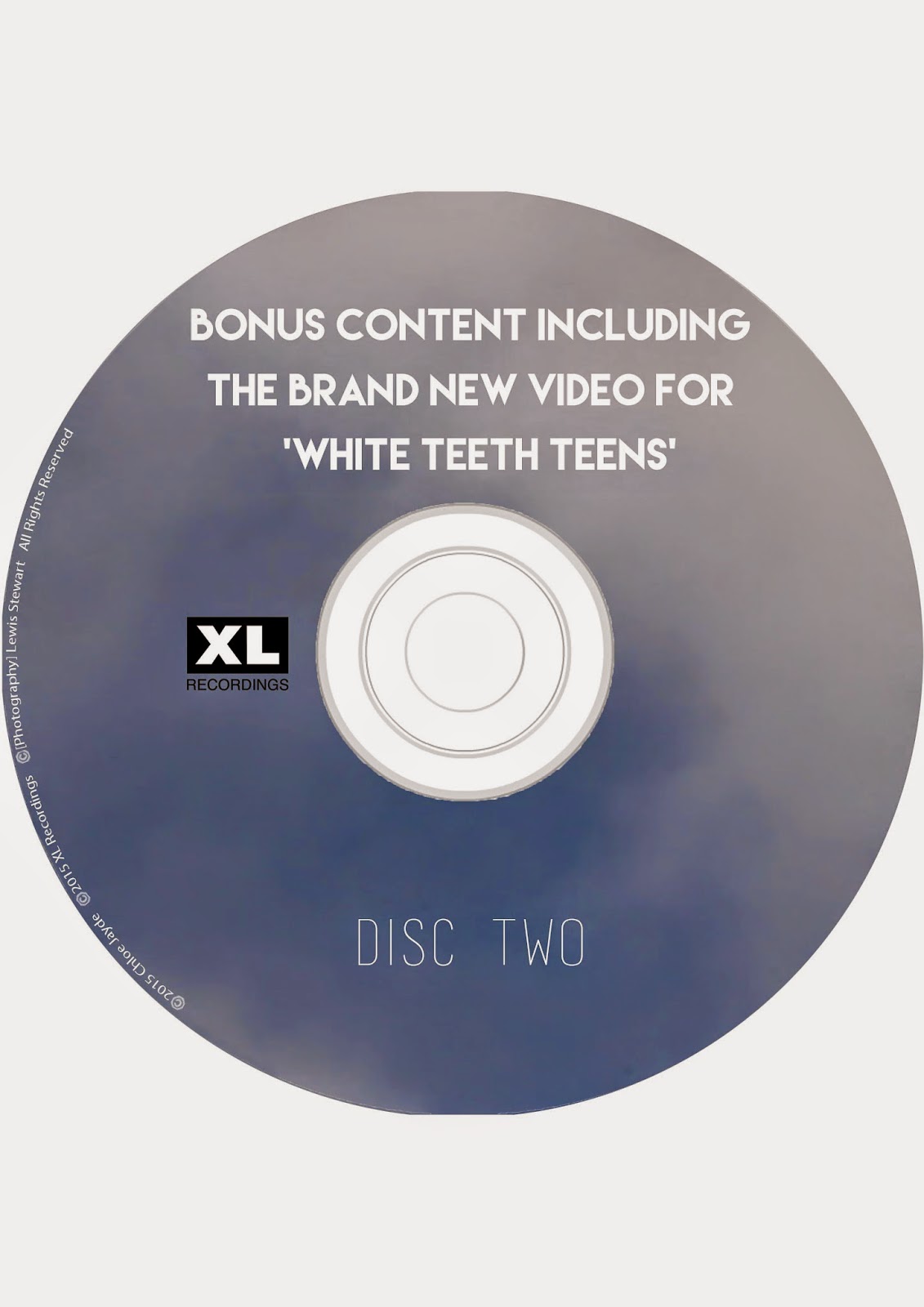
Discs:


Spine:


Magazine advert:


Poster in real places:


These are some adverts I created to advertise the artist's new album, and think that these look really good and am really impressed with how they turned out because of how realistic they are.

Weather forecast.


From looking on the BBC website (which I know is a reliable source as I have used the website before when planning to film) I have found that it looks to be clear in tonight, but an issue is going to be whether we are able to get all the shots that I need outside before 6pm. This is because the website states that this is when the sun sets and I want it to be fairly light when I film so that I have the best footage possible. I have a free period last lesson today so I am going to stay back and wait for the artist that is in my video as she has a lesson; we are going to get the bus back to her house as this is where I want to film most of the shots as they need to be on a field.

I then checked on Saturday and Sunday's weather reports because I am filming on Saturday and possibly on Sunday if I don't get all of the shots I need on Saturday. The report looks quite clear from what I can see, and seems to be at it's highest temperature between the times 11am and 3pm. The artist in my video has a part-time job and so I have organised to meet her at work and film as many shots as possible as some that I need are near where she works. She finishes around 2:30pm so this means that we will most likely get to town around 4pm after filming some shots that I need and getting the bus to town.
In the worst case scenario for filming, I am going to have to meet the artist on Sunday too to film any shots that I don't get the chance to film on Saturday. I am going to ensure that I get all of the shots of the actress that I need and have also agreed with Chloe that she can film any shots she needs in town first. This is because she doesn't start work until 5pm on Sunday, but the actress in my video has to be home by noon which would be too early to get to town, film, and return. So it made sense to film all of her parts so that me and Chloe have all Sunday to film if need be. The unfortunate part is that the weather forecast says that it is going to rain on Sunday so, if it does, I will be unable to film as this will ruin the shots I want.

Hopefully I get all the shots done by Saturday, and avoid having to re-organise filming with the artist if it does rain on Sunday. This won't be a major problem because I could simply set another date to film with her but, with the deadline for the music video fast approaching, I am hoping for the best and hope that I get everything filmed this weekend.

Progression of making the discs.


I went for a really basic design to follow conventions of an indie artist's CD design, and then added the legal information down the side and added the record label's logo on the disc too.


I then decided to add the text that says 'disc one' to follow conventions, and enlarged the text that says 'White Teeth Teens' as this is an important part of the disc.


I then followed the same design for the second disc, to make them relate to one another.

Thursday, 12 March 2015

Shots update.


I have just checked and update this blog post with the relevant parts highlighted. I have noticed that I still have quite a lot to film, but this is due to me filming the parts that can be done fairly close to my house first. I have planned with my artist to go back to her house tomorrow after college to film some of the shots that can be filmed near her house so that these are out of the way (the shots I am hoping to film are 7, 8, 9, 12, 18, 28, 34, 35, 37, 69, 70, 71, 72). Some of these I am able to do at the artist's house, so am planning on filming the outside parts first to ensure I get the most footage out of this I possibly can; as one of the issues I am going to have is it getting dark early. I am going to try and get to the location I need to as quick as possible so that I can film the parts I need to as quickly as possible.

I have also organised with my artist and one of the actresses in my video to film this Saturday. One problem we had was figuring out when to film because we all have things that we are doing on the weekend, and the main problem being the artist in my video having a part-time job. She was fortunately able to check her shift so that we could work around it and she is luckily finishing work at 2pm. This means that me and the actress in my video are going to walk over to where she works as it isn't far from where I live to meet the artist, then film the parts that me and Chloe need as she is also doing A2 Media and has her own video she needs to film for. We are then going to go to town so that Chloe can film the parts that she needs to for her video, and possibly for me to film the parts I need to (these are shots 19, 20, 21, 22, 23, 24, 33, 40, 41, 51, 53, 59, 60, 61, 63 - both in town and near Kingswood). If I am unable to film my parts on Saturday then I am going to organise a time to meet the artist on Sunday as the shots in town are the shots that I only need the artist for and not the actress.

Editing the images for inside my digipak.

For this, I knew what I wanted the outcome to be and think that I achieved exactly what I was aiming for. I wanted to have an image that was really simple yet striking; emphasising what the album is all about. I also knew that I wanted to have some text of some sort: I thought at first of having a quote or some empowering text that would show the artist's confidence but decided against this and thought that having lyrics from the artist's main song 'White Teeth Teens' made more sense. I have specifically chosen to use the lyrics "I'll let you in on something big" and "I am not a white teeth teen" as I think these are the 2 most powerful lines in the song as this is the defining point in the song where the artist realises that popularity isn't everything and that she doesn't want to be seen in this fake and 'plastic' way.


I placed the text onto the image and surrounded it in a border similar to what I have done with the track list on my back cover. I also moved the text so that it was centralized as I think this looks very professional and also relates to the back cover as I have done this there too.


I then altered the levels to make the grass look more interesting and vibrant as it looked a little flat in the first image. I only changed the levels slightly, but think this is a massive improvement on the image as it looks a lot more like an image that would be used in an album, and doesn't look as washed out as it did previously.


I then thought that the speech marks that I placed at the ends of both of the texts made it less effective; I think it looks better without them. This is because using the speech marks make it obvious that the text is a song lyrics and I want this to be a surprise for whoever it is that has bought the album.


As I had already edited one image of the grass, I knew that editing the levels was something I had to do to make the image look better. Again, this was only a slight adjustment but I feel that this makes the image look really professional and also looks vibrant which would relate to the audience I am going to aim the product at.


I then did this edit as I was torn between whether to use an image that I had taken of the bush or to use an image I took in the field. I really like this edit but am unsure about whether it works because of how difficult it is to read the text.

I am going to edit these when I get home as I have the fonts downloaded that I would like to use and will decide then which one I think looks the best.

These are the outcomes for the edits when using the font that I like (Lemon/Milk - downloaded from dafont.com):


I really love this font as I think it is really bold and eye-catching. I think it looks really modern and relates to how Foxes has placed the track list on her album, and I think it also looks similar to the style that Troye Sivan used on his third EP 'TRXYE':

My favourite out of the three is the design that is made from the bush as the mise en scene looks a lot more interesting due to how it seems more 3 dimensional. I then thought that the font was a little difficult to read, so I then used the Rectangular Marquee Tool to select the area behind the text and filled it in with black:

I then changed the opacity of the box so that it wasn't a really harsh black colour and so that the image could still be seen behind the text and through the black box.

This is the finished product and I am really happy with the outcome, I am now going to do the same with another image so that I have my final 2 images:


I used the same image on both of them because I think that this makes them look effective as it demonstrates how they connect with each other and aren't two different song lyrics. I am really happy with how they turned out because I think they look really good, and illustrate the type of artist I am creating; one that is calm and empowered, yet has a fun and quirky side to her personality.

Taking images for the inside of my digipak.


Progression of the images behind the CD.


These three images are from the idea of doing the 'See no evil, hear no evil, speak no evil' images, but think that these images don't work very well because of how the artist's arms all of a sudden cut off which looks really unprofessional. I liked the idea of the first image but it hasn't worked how I wanted it to due to the arms being cut off. I then made the images a lot bigger on the canvas but was unsure if this looked good, because of how close the artist is in the foreground. I then had an idea to place the artist in a triangular shape (similarly to how Katy Perry has placed the track list for her album Prism), but think this looks really bad and unprofessional so am definitely not going to use any of these images on my product.


I had taken a picture of the back of my artist's head, as I was planning on placing this on the cover behind the front cover but have decided to do something different for this space. I really love how simple this image is and think it works really well as it contrasts with the other image I have created (that I am going to speak about below).


After placing these three images together, I had to change the opacity of the images so that they weren't in focus as much as the image in the foreground because I wanted to illustrate their unimportance through use of costume in reference to mise en scene.


I then opened up a document that was the correct width and height so that I could drag on the images. I moved the images that are going to be placed in the background on first to make sure they were in the place I wanted them in.


I then dragged on the other image of the artist that I wanted on the document. I used two images in the background where the artist is wearing a kimono (this is used to represent her 'popular' attitude and how she is trying to fit in with the other girls in the video) and one in the foreground where the artist is wearing a shirt (this represents her comfortable side and how she has decided against trying to fit into a mould and be seen as 'popular').


Above is a screenshot of how I used the tool Motion Blur on Photoshop to create the ghost effect that I have achieved below. This was a really simple thing to do and was more of an experimentation than something that I planned to do. I didn't blur the image too much as I wanted the artist to still be visible in the image but be blurred enough that she was out of focus.


I then used the Quick Selection Tool to select the part of the image that I wanted to edit, but found that this didn't work particularly well so instead decided to use a Quick Mask. What I wanted to do was alter the levels so that the image in the foreground was the brightest and the most focused on image as this is the message I want to create; how her feeling comfortable is her main ideology and that if she becomes popular then that is fine but she doesn't want to achieve this by being someone she isn't. This was only a slight adjustment but I think it has really helped emphasised this point.


I then selected the other parts of the image (the blurred parts) so that I could edit these to make the image look even better. I chose these three edits as my favourites and think they each look really good. I feel like the 2nd one looks a little flat and a bit too grey, though, which makes the image less effective due to it looking really unsaturated which I think wouldn't work on the particular product I am creating. I also like the 3rd image because of the really harsh lighting that has been caused, but again think this wouldn't work on the particular digipak I am creating. These are the reasons I have opted for the 1st image as my final product, as this combines the lighting that has been caused in the 3rd image (although not as harsh and is more subtle) and the plain colour in the 2nd image. This blend mode is called 'Linear Light' and I love how this image has turned out and think it will work really well with the rest of my digipak as it has a blue tint to it, which is a consistent theme through my product - due to the image of clouds being used on lots of the parts.